<!doctype html>
<html lang="en">
<head>
<meta charset="utf-8" />
<meta name="viewport" content="width=device-width,initial-scale=1" />
<title>T.R.E.A.D. — Prepared. United. Ready.</title>
<style>
:root{
--bg: #0f1314; /* charcoal background */
--text: #ffffff; /* main text */
--muted: #9aa1a6; /* muted text */
--accent-red: #e03b3b; /* subtle red */
--accent-blue: #2f7be6; /* subtle blue */
--container-max: 1100px;
--radius: 10px;
}
/* Basic reset & typography (system stack) */
*,*::before,*::after{box-sizing:border-box}
html,body{height:100%}
body{
margin:0;
background:var(--bg);
color:var(--text);
font-family:-apple-system, BlinkMacSystemFont, "Segoe UI", Roboto, "Helvetica Neue", Arial, sans-serif;
-webkit-font-smoothing:antialiased;
-moz-osx-font-smoothing:grayscale;
line-height:1.45;
-webkit-text-size-adjust:100%;
-ms-text-size-adjust:100%;
font-size:16px;
}
.container{
max-width:var(--container-max);
margin:0 auto;
padding-inline:1rem;
}
/* Sections */
section{padding:clamp(1rem,4vw,2.25rem) 0; position:relative}
h1, h2 { margin:0 0 .5rem 0; color:var(--text); }
h1{
font-weight:700;
font-size:clamp(1.6rem,6.5vw,3rem);
line-height:1.05;
letter-spacing:-0.01em;
}
h2{
font-size:clamp(1.05rem,3.6vw,1.4rem);
font-weight:600;
margin-bottom:.6rem;
}
p{margin:.4rem 0 0.9rem 0; color:var(--muted);}
/* Logo placeholder */
.logo-placeholder{
display:inline-flex;
align-items:center;
justify-content:center;
min-height:48px;
min-width:170px;
padding:.35rem .6rem;
border:2px dashed rgba(255,255,255,0.12);
border-radius:8px;
color:var(--muted);
font-weight:700;
letter-spacing:0.04em;
background:transparent;
margin-bottom:1rem;
}
/* Provide spacing for the hero content */
.hero-inner{ display:flex; flex-direction:column; gap:.6rem; align-items:flex-start; }
/* Accent lines near hero */
.hero-accent{
width:100%;
height:18px;
position:relative;
margin:0.25rem 0 0.8rem 0;
}
.hero-accent::before,
.hero-accent::after{
content:"";
position:absolute;
top:50%;
transform:translateY(-50%);
height:3px;
border-radius:3px;
opacity:.12;
}
.hero-accent::before{ left:0; width:64px; background:var(--accent-blue); }
.hero-accent::after{ right:0; width:48px; background:var(--accent-red); }
.subheadline{ color:var(--muted); margin-top:0.25rem; max-width:68ch; }
/* Buttons */
.btn{
display:inline-flex;
align-items:center;
gap:.5rem;
text-decoration:none;
cursor:pointer;
border-radius:8px;
font-weight:600;
transition:all .12s ease;
-webkit-tap-highlight-color: transparent;
}
.btn-primary{
padding:.72rem 1rem;
color:var(--text);
border:1.5px solid rgba(255,255,255,0.12);
background:linear-gradient(0deg, rgba(255,255,255,0.02), rgba(255,255,255,0.02));
font-size:1rem;
}
.btn-primary:active{ transform:translateY(1px); }
.btn-primary:focus{ outline:3px solid rgba(47,123,230,0.12); outline-offset:3px; }
.btn-start{
padding:.6rem .9rem;
color:var(--bg);
background:var(--accent-blue);
border:none;
font-size:0.98rem;
}
.btn-start:focus{ outline:3px solid rgba(240,240,240,0.06); outline-offset:3px; }
.small-note{ color:var(--muted); font-size:.92rem; margin-top:.35rem; }
/* Training grid */
.training-grid{
display:grid;
grid-template-columns:repeat(1, minmax(0,1fr));
gap:0.75rem;
}
.training-card{
display:flex;
gap:.9rem;
align-items:center;
padding:.9rem;
background:linear-gradient(180deg, rgba(255,255,255,0.02), rgba(255,255,255,0.01));
border-radius:12px;
border:1px solid rgba(255,255,255,0.03);
}
.training-icon{
width:46px;
height:46px;
flex:0 0 46px;
display:inline-grid;
place-items:center;
color:var(--text);
opacity:0.95;
}
.training-title{ font-weight:600; color:var(--text); font-size:.98rem; }
/* Who we're looking for & standards lists */
ul{ margin:0.4rem 0 0 1.2rem; color:var(--muted) }
li{ margin:.45rem 0; list-style:disc; }
/* Steps */
.steps{ display:flex; flex-direction:column; gap:.9rem; margin-top:.6rem; }
.step{
display:flex;
gap:1rem;
align-items:flex-start;
background:linear-gradient(180deg, rgba(255,255,255,0.01), rgba(255,255,255,0.00));
padding:.85rem;
border-radius:10px;
border:1px solid rgba(255,255,255,0.03);
}
.step-number{
min-width:48px;
height:48px;
border-radius:8px;
background:rgba(255,255,255,0.03);
display:grid;
place-items:center;
font-weight:700;
color:var(--text);
flex-shrink:0;
}
.step-body{ color:var(--muted); font-size:.98rem; }
/* Divider accents between major sections */
.section-divider{
position:absolute;
left:1rem; right:1rem; height:12px; top:0;
pointer-events:none;
}
.section-divider::before,
.section-divider::after{
content:"";
position:absolute; height:3px; top:50%; transform:translateY(-50%); opacity:.06; border-radius:2px;
}
.section-divider::before{ left:0; width:85px; background:var(--accent-blue);}
.section-divider::after{ right:0; width:65px; background:var(--accent-red);}
/* Footer & contact form */
footer{ padding:1rem 0 2.25rem 0; border-top:1px solid rgba(255,255,255,0.02); }
.footer-note{ color:var(--muted); font-size:.95rem; margin-bottom:.9rem; }
.contact-form{ display:grid; gap:.75rem; max-width:560px; }
.form-field{ display:flex; flex-direction:column; gap:.25rem; }
label{ font-size:.88rem; color:var(--muted); }
input[type="text"], input[type="email"], textarea{
background:transparent; border:1px solid rgba(255,255,255,0.06);
color:var(--text); padding:.6rem .7rem; border-radius:8px;
font-size:.98rem;
}
textarea{ min-height:96px; resize:vertical; }
.optional-note{ font-size:.86rem; color:var(--muted); margin-top:.25rem; }
/* Responsive */
@media(min-width:540px){
.training-grid{ grid-template-columns:repeat(2, minmax(0,1fr)); }
}
@media(min-width:900px){
.hero-inner{ flex-direction:row; align-items:center; justify-content:space-between; gap:2rem; }
.training-grid{ grid-template-columns:repeat(3, minmax(0,1fr)); }
section{ padding:clamp(1.6rem,2.8vw,3rem) 0; }
}
/* Utility */
.muted{ color:var(--muted); }
.visually-hidden{ position:absolute !important; height:1px; width:1px; overflow:hidden; clip:rect(1px,1px,1px,1px); white-space:nowrap; border:0; padding:0; margin:-1px; }
</style>
</head>
<body>
<header class="section section-hero" aria-labelledby="hero-heading">
<div class="container">
<!-- Logo placeholder: replace this element in Webflow with your logo image or symbol.
Keep the class "logo-placeholder" on the replacement element to preserve spacing. -->
<div class="logo-placeholder" aria-hidden="true">
T.R.E.A.D.
</div>
<div class="hero-inner" role="region" aria-labelledby="hero-heading">
<div style="flex:1;min-width:0;">
<div class="hero-accent" aria-hidden="true"></div>
<h1 id="hero-heading">Prepared. United. Ready.</h1>
<p class="subheadline">Texas-based preparedness community focused on real-world skills and resilience.</p>
<a class="btn btn-primary" href="#application" aria-label="Apply to Join">👉 Apply to Join</a>
<p class="small-note">Scan. Follow instructions. Apply.</p>
</div>
<!-- decorative visual balance (subtle) -->
<div style="display:none; /* reserved for future non-image decorative element */"></div>
</div>
</div>
</header>
<main>
<section id="about" class="section section-about" aria-labelledby="about-heading">
<div class="section-divider" aria-hidden="true"></div>
<div class="container">
<h2 id="about-heading">About</h2>
<!-- Use the exact copy below (verbatim) -->
<p>
T.R.E.A.D. (Texas Rapid Engagement and Defense) is a statewide network of individuals focused on preparedness, self-reliance, and community resilience.
<br>
We train together, build real-world skills, and operate as a disciplined, family-friendly community.
</p>
</div>
</section>
<section id="training" class="section section-training" aria-labelledby="training-heading">
<div class="container">
<h2 id="training-heading">Training</h2>
<div class="training-grid" role="list" aria-label="Training offerings">
<!-- Card 1 -->
<div class="training-card" role="listitem" aria-labelledby="t1">
<div class="training-icon" aria-hidden="true">
<!-- neutral compass icon -->
<svg width="44" height="44" viewBox="0 0 24 24" fill="none" stroke="currentColor" stroke-width="1.6" stroke-linecap="round" stroke-linejoin="round" aria-hidden="true">
<circle cx="12" cy="12" r="9"></circle>
<path d="M10 14l4-4-6 2 2 2z"></path>
</svg>
</div>
<div id="t1" class="training-title">Tactical Training</div>
</div>
<!-- Card 2 -->
<div class="training-card" role="listitem" aria-labelledby="t2">
<div class="training-icon" aria-hidden="true">
<!-- neutral medical plus -->
<svg width="44" height="44" viewBox="0 0 24 24" fill="none" stroke="currentColor" stroke-width="1.8" stroke-linecap="round" stroke-linejoin="round">
<rect x="3" y="3" width="18" height="18" rx="3"></rect>
<path d="M12 8v8M8 12h8"></path>
</svg>
</div>
<div id="t2" class="training-title">Medical Training</div>
</div>
<!-- Card 3 -->
<div class="training-card" role="listitem" aria-labelledby="t3">
<div class="training-icon" aria-hidden="true">
<!-- tent / bushcraft -->
<svg width="44" height="44" viewBox="0 0 24 24" fill="none" stroke="currentColor" stroke-width="1.6" stroke-linecap="round" stroke-linejoin="round">
<path d="M3 20h18"></path>
<path d="M12 4l6 16H6z"></path>
</svg>
</div>
<div id="t3" class="training-title">Bushcraft & Survival Skills</div>
</div>
<!-- Card 4 -->
<div class="training-card" role="listitem" aria-labelledby="t4">
<div class="training-icon" aria-hidden="true">
<!-- comms waves -->
<svg width="44" height="44" viewBox="0 0 24 24" fill="none" stroke="currentColor" stroke-width="1.6" stroke-linecap="round" stroke-linejoin="round">
<circle cx="12" cy="12" r="3"></circle>
<path d="M19.07 4.93a10 10 0 0 1 0 14.14M16.24 7.76a6 6 0 0 1 0 8.49"></path>
</svg>
</div>
<div id="t4" class="training-title">Communications (Comms)</div>
</div>
<!-- Card 5 -->
<div class="training-card" role="listitem" aria-labelledby="t5">
<div class="training-icon" aria-hidden="true">
<!-- leaf foraging -->
<svg width="44" height="44" viewBox="0 0 24 24" fill="none" stroke="currentColor" stroke-width="1.6" stroke-linecap="round" stroke-linejoin="round">
<path d="M20 4c-4 4-6 10-9 13-3-3-5-9-9-13"></path>
<path d="M8 8c4 2 8 2 12 0"></path>
</svg>
</div>
<div id="t5" class="training-title">Foraging & Natural Resources</div>
</div>
<!-- Card 6 -->
<div class="training-card" role="listitem" aria-labelledby="t6">
<div class="training-icon" aria-hidden="true">
<!-- jar / preservation -->
<svg width="44" height="44" viewBox="0 0 24 24" fill="none" stroke="currentColor" stroke-width="1.6" stroke-linecap="round" stroke-linejoin="round">
<rect x="6" y="3" width="12" height="18" rx="2"></rect>
<path d="M8 7h8"></path>
</svg>
</div>
<div id="t6" class="training-title">Food Preservation</div>
</div>
</div>
</div>
</section>
<section id="who" class="section section-who" aria-labelledby="who-heading">
<div class="container">
<h2 id="who-heading">Who We're Looking For</h2>
<ul>
<!-- Use verbatim list items -->
<li>First responders</li>
<li>Medical professionals</li>
<li>Military / law enforcement</li>
<li>Skilled trades</li>
<li>Individuals committed to preparedness</li>
</ul>
</div>
</section>
<section id="standards" class="section section-standards" aria-labelledby="standards-heading">
<div class="container">
<h2 id="standards-heading">Our Standards</h2>
<p class="lead">We are a family-friendly organization.</p>
<ul>
<!-- Use verbatim bullet text -->
<li>Be who they say they are</li>
<li>Conduct themselves responsibly</li>
<li>Be legally able to own a firearm</li>
</ul>
<p class="muted">We prioritize discipline, integrity, and safety.</p>
</div>
</section>
<section id="application" class="section section-application" aria-labelledby="application-heading">
<div class="container">
<h2 id="application-heading">Application Process</h2>
<div class="steps" role="list" aria-label="Application steps">
<!-- Step 1 -->
<div class="step" role="listitem">
<div class="step-number" aria-hidden="true">1</div>
<div class="step-body">
<strong>Step 1 — Submit Application</strong>
<div style="margin-top:.45rem;">
<!-- NOTE: leave the Airtable link empty — set href="#" and include a data attribute data-airtabledata-airtable="https://airtable.com/app59GM4mGQAx0cxp/pagBR5agdi52Q2NN2/form"-->
<!-- PASTE AIRTABLE LINK: Replace PASTE_AIRTABLE_LINK_HERE in the data-airtable attribute with your Airtable form URL. -->
<a class="btn btn-start" href="#" data-airtable="PASTE_AIRTABLE_LINK_HERE" aria-label="Start Application (Airtable link placeholder)">
👉 Start Application
</a>
</div>
</div>
</div>
<!-- Step 2 -->
<div class="step" role="listitem">
<div class="step-number" aria-hidden="true">2</div>
<div class="step-body">
<strong>Step 2 — Create Your Call Sign</strong>
<div style="margin-top:.45rem;">Choose a unique identifier for communication. <em>Format example: YourCallSignTX</em></div>
</div>
</div>
<!-- Step 3 -->
<div class="step" role="listitem">
<div class="step-number" aria-hidden="true">3</div>
<div class="step-body">
<strong>Step 3 — Set Up Required Accounts</strong>
<div style="margin-top:.45rem;">
Create a Telegram account — Format: YourCallSignTX<br>
Create a ProtonMail email — Format: YourCallSignTX@proton.me
<!-- Edit ProtonMail/Telegram instructions here if you use different providers. -->
</div>
</div>
</div>
<!-- Step 4 -->
<div class="step" role="listitem">
<div class="step-number" aria-hidden="true">4</div>
<div class="step-body">
<strong>Step 4 — Await Review</strong>
<div style="margin-top:.45rem;">You will be contacted if selected.</div>
</div>
</div>
</div>
</div>
</section>
<section id="final-cta" class="section section-cta" aria-labelledby="final-cta-heading">
<div class="container">
<h2 id="final-cta-heading">Final Call to Action</h2>
<p class="muted">Not everyone is a fit. If you are serious about preparedness and ready to commit:</p>
<a class="btn btn-primary" href="#application" aria-label="Apply Now">👉 Apply Now</a>
</div>
</section>
</main>
<footer>
<div class="container">
<div class="footer-note">Serious inquiries only</div>
<form class="contact-form" action="#" method="POST" aria-label="Contact form">
<div class="form-field">
<label for="cf-name">Name</label>
<input id="cf-name" name="name" type="text" placeholder="Your full name" autocomplete="name" />
</div>
<div class="form-field">
<label for="cf-email">Email</label>
<input id="cf-email" name="email" type="email" placeholder="you@example.com" autocomplete="email" />
</div>
<div class="form-field">
<label for="cf-message">Message (optional)</label>
<textarea id="cf-message" name="message" placeholder="Optional message"></textarea>
<div class="optional-note">Keep messages concise. We will follow up on serious inquiries.</div>
</div>
<div class="form-field" style="flex-direction:row;align-items:center;gap:.6rem;">
<input id="cf-firearm" name="legal-firearm" type="checkbox" />
<label for="cf-firearm" style="margin:0;color:var(--muted);font-size:.95rem;">I confirm I can legally own a firearm (optional)</label>
</div>
<div>
<button type="submit" class="btn btn-primary" aria-label="Submit contact form">Submit</button>
</div>
</form>
</div>
</footer>
<!-- Minimal optional script: if you paste your Airtable link into the data-airtable attribute
the Start Application button will open it in a new tab. This script is small and optional;
you may remove it and manage the link directly in Webflow if preferred. -->
<script>
(function(){
var btn = document.querySelector('.btn-start');
if(!btn) return;
btn.addEventListener('click', function(e){
var link = btn.getAttribute('data-airtable') || '';
if(link && link.trim() !== '' && link.indexOf('PASTE_AIRTABLE_LINK_HERE') === -1){
e.preventDefault();
// open in new tab for user convenience
window.open(link, '_blank', 'noopener');
}
// if link is the placeholder, leave default href="#" so site owner can update in Webflow
}, false);
})();
</script>
</body>
</html>
Webflow mapping (recommended)
.section-hero -> Section (top-level hero section)
.container -> Container (centered content wrapper)
.logo-placeholder -> Div Block (replace with Image element or Symbol for logo; keep this class for spacing)
h1 (hero headline) -> Heading
.subheadline -> Paragraph
.btn-primary -> Link Block / Button (primary CTA)
.hero-accent -> Div (decorative; can be a small div)
#about / .section-about -> Section
.section-training -> Section
.training-grid -> Div Block (use Grid in Webflow with 1/2/3 columns responsive)
.training-card -> Div Block (each grid item)
.training-icon -> Div (holds inline SVG)
#application / .section-application -> Section (application steps)
.steps / .step -> Div Blocks (stacked vertical list)
.btn-start -> Link Block / Button (Airtable start button; update data attribute in Webflow)
footer -> Footer
.contact-form -> Form Block (replace action with Webflow form handler or external endpoint)
.form-field -> Div Block (wrap label + input)
TEXAS RAPID ENGAGEMENT AND DEFENSE
Prepared. United. Ready. Texas-based preparedness community focused on real-world skills and resilience
T.R.E.A.D. (Texas Rapid Engagement and Defense) is a statewide network focused on preparedness, self-reliance, and community resilience. We train together, build real-world skills, and operate as a disciplined family-friendly community.
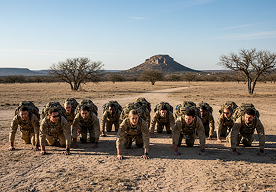
Tactical Training
Strategic movement, group dynamics, and defensive coordination in complex environments.
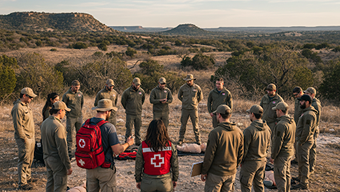
Medical Training
Trauma care, stabilizing injuries, and long-term wellness in off-grid scenarios.
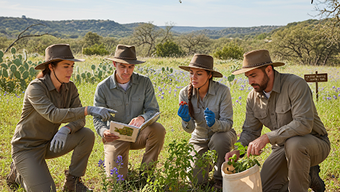
Bushcraft & Survival
Shelter building, fire craft, and navigating the Texas Wilderness with minimal gear.
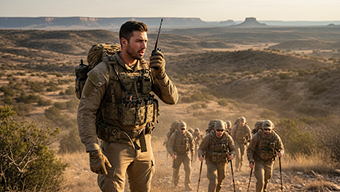
Communications
Establishing secure networks, radio operation(Comms), and signal intelligence.
Foraging & Resources
Identifying local flora, water procurement, and understanding natural landscapes.
Food Preservation
Canning, drying, and securing long-term food supplies for community stability.
Our Standards &Discipline We are building a network of capable individuals who bring unique skills to the table. Our strength lies in our diversity of expertise.
Verify identity and maintain responsible conduct at all times.
Legally able to own a firearm. No exceptions.
We prioritize discipline, integrity, and safety.
Application Process Five steps to become a verified member of the T.R.E.A.D. network.
Create ProtonMail
Register an encrypted email using the format: CallSignTX@proton.me
Submit Application
Complete the secure intake form by entering your established CallSign and ProtonMail address created in the previous steps. Ensure all details match your new identity precisely to avoid processing delays.
Send Confirmation Email (VERY IMPORTANT)
After completing the steps above, send an email to: [Email Address]
This ensures we can contact you if there are any issues with your call sign or account setup
Not everyone is a fit. We select individuals based on character, skill, and commitment to the community. If you are serious about preparedness, take the first step today.